
Groove Scribe
Create a short drum pattern in your browser.
Works in your browser
Export MIDI
Click the grid to add drum hits. Open DOWNLOAD and choose MIDI.
Write your drum part, save it as MIDI or Guitar Pro, then import it into Score Drummer.
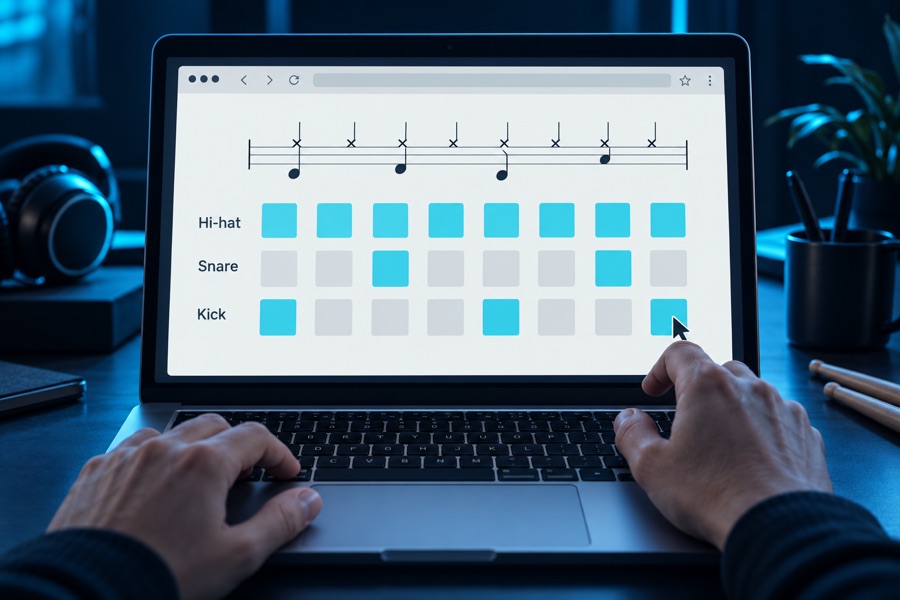
Use notation software or a drum editor to write your score. Explore the tools below.
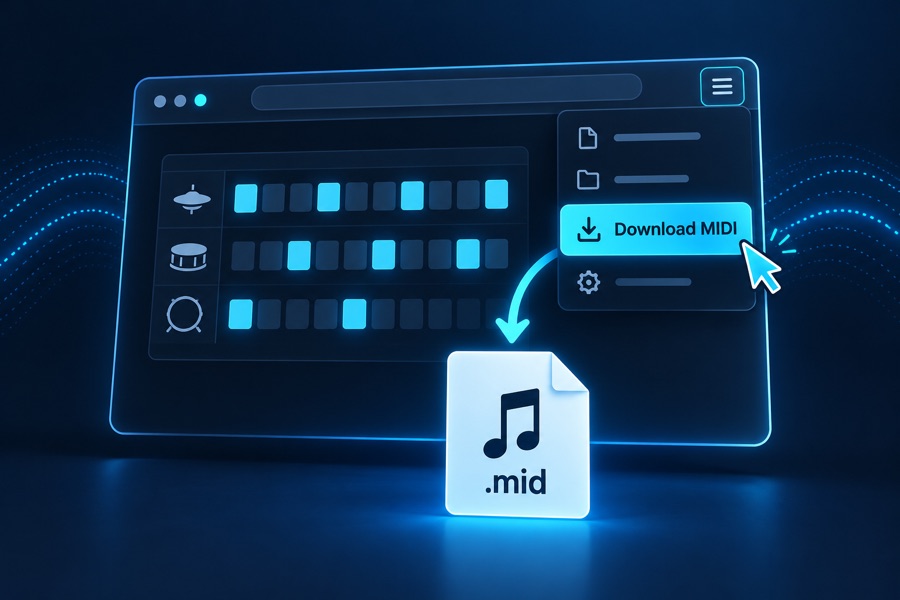
Export or download your drum part as a MIDI or Guitar Pro file.

In Score Drummer, choose Import song → Choose file and open the file you exported. Then select the drum track.
Write a groove without installing software.
Create a short drum pattern in your browser.
Works in your browser
Click the grid to add drum hits. Open DOWNLOAD and choose MIDI.

Write and arrange your drum part in the browser-based Studio.
Works in your browser
On your drum MIDI track, open the three-dot menu → Export as MIDI. Import the downloaded file into Score Drummer and check the drum track.
Apps with free MIDI export for drum patterns, notation and tablature.

Build and arrange drum patterns in Hydrogen, then export MIDI.
Mac, Windows, Linux
Download the version for your operating system from the GitHub releases page.
Use our drumkit to write with Score Drummer’s supported pieces and matching MIDI notes.
Download Score Drummer kit (.h2drumkit, 4 MB)The drumkit is for Hydrogen. Import the exported .mid into Score Drummer; keep the .h2song project for editing.
Write drum notation in MuseScore Studio, then export MIDI.
Mac, Windows, Linux
Create a drum staff, write your notes, then choose File → Export → MIDI. MuseScore Studio is the free editor; the MuseScore.com catalogue has separate access conditions.
MIDI export help (opens in a new tab)
Write a complete drum score. The free SE edition includes MIDI export.
Mac, Windows
The map assigns MIDI notes to drum pieces. A different map can make Score Drummer read the wrong pieces or miss notes.
MIDI export help (opens in a new tab)
Edit complete scores and Guitar Pro files. For MIDI, choose File → Export → MIDI and save the .mid file.
Mac, Windows, Linux
If you already use one of these programs, write your drum part there and export it for Score Drummer.

Write your drum part on a MIDI or Instrument track, then choose File → Export → MIDI. Keep the drum track unmuted, choose Type 1 (multitrack) in the export settings and save the .mid file.

File → Export → MIDI File. Include tempo and time signatures in Export Options.
MIDI export help (opens in a new tab)
Select your drum MIDI regions, then choose File → Export → Selection as MIDI File.
MIDI export help (opens in a new tab)Save a copy of your project before using Tools → Macros → Prepare for MIDI export, which replaces the channel instruments. Then choose File → Export → MIDI file. Use General MIDI drum-note assignments for Score Drummer.
MIDI export help (opens in a new tab)
Save your drum score as a compatible .gp file, or choose File → Export → MIDI. Check that the drum track is not muted.
MIDI export help (opens in a new tab)
Sibelius First does not export MIDI. In a paid edition, choose File → Export → MIDI, select General MIDI and Type 1, then save the .mid file.
Export a .mid file or save a compatible Guitar Pro score. Keep the editable project separately. Use a General MIDI drum map where possible and check the drum track after importing.